
Your AI inside Salesforce.
A native Salesforce package — drafting, scoring, summaries and answers on every record. Scroll to meet the assistant.
Ask it — it’ll tell you straight.
Describe your bottleneck. The assistant explains exactly what AI Engine does and whether it fits — in any language. Real answer, no sales call.
Everything AI Engine does inside Salesforce
Twelve capabilities, one native package — no copy-paste, no leaving the CRM.
Meeting Prep 1-Pager
One click on any Account or Opportunity generates a complete meeting brief — company news, opportunity history, recent activity, talking points and a printable PDF. From 20 minutes of prep to 30 seconds.
AI Lead & Opportunity Scoring
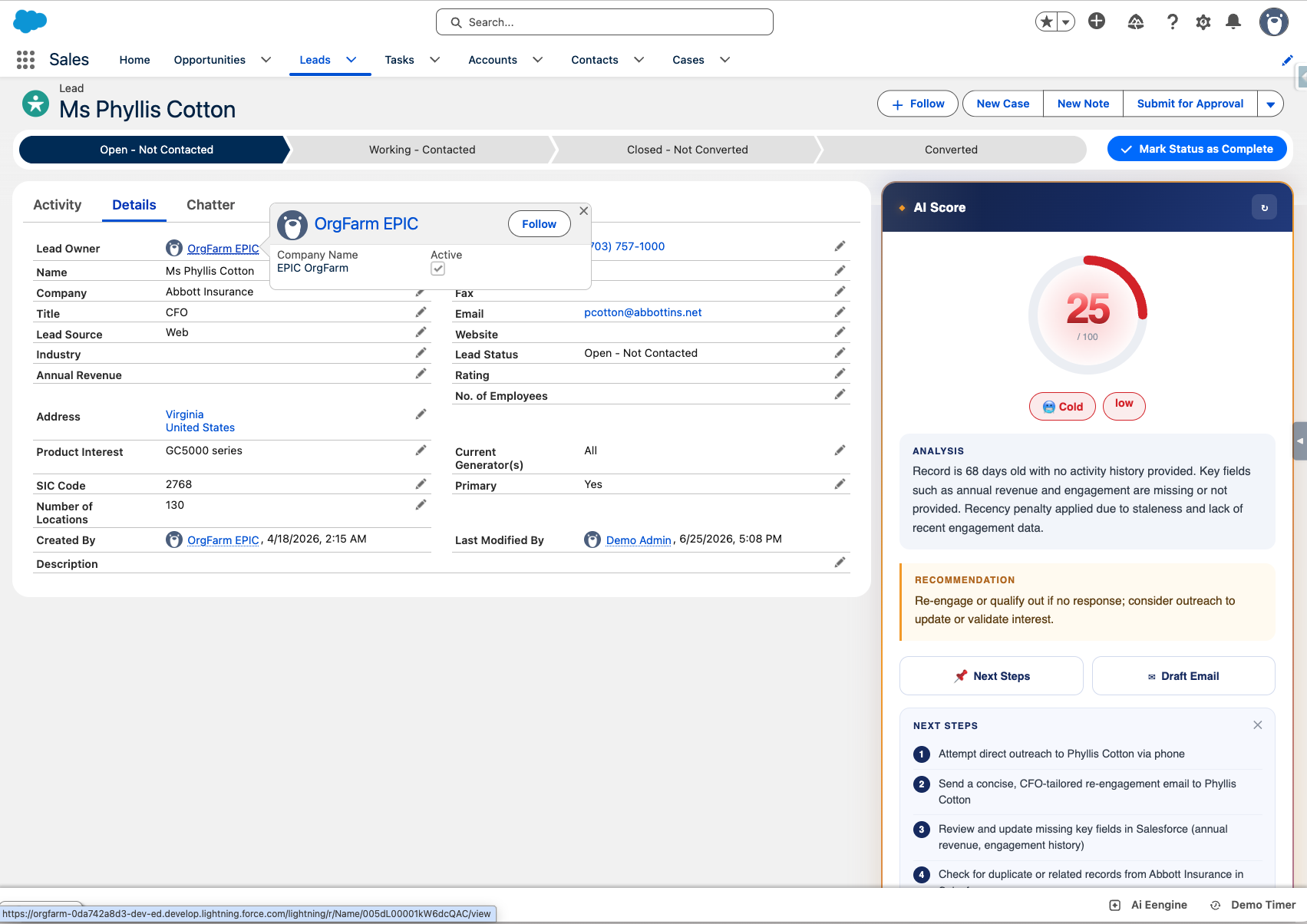
Every Lead and Opportunity gets an AI score 0–100, based on your historical won/lost patterns, data completeness and engagement signals.
AI Salesforce Assistant Chat
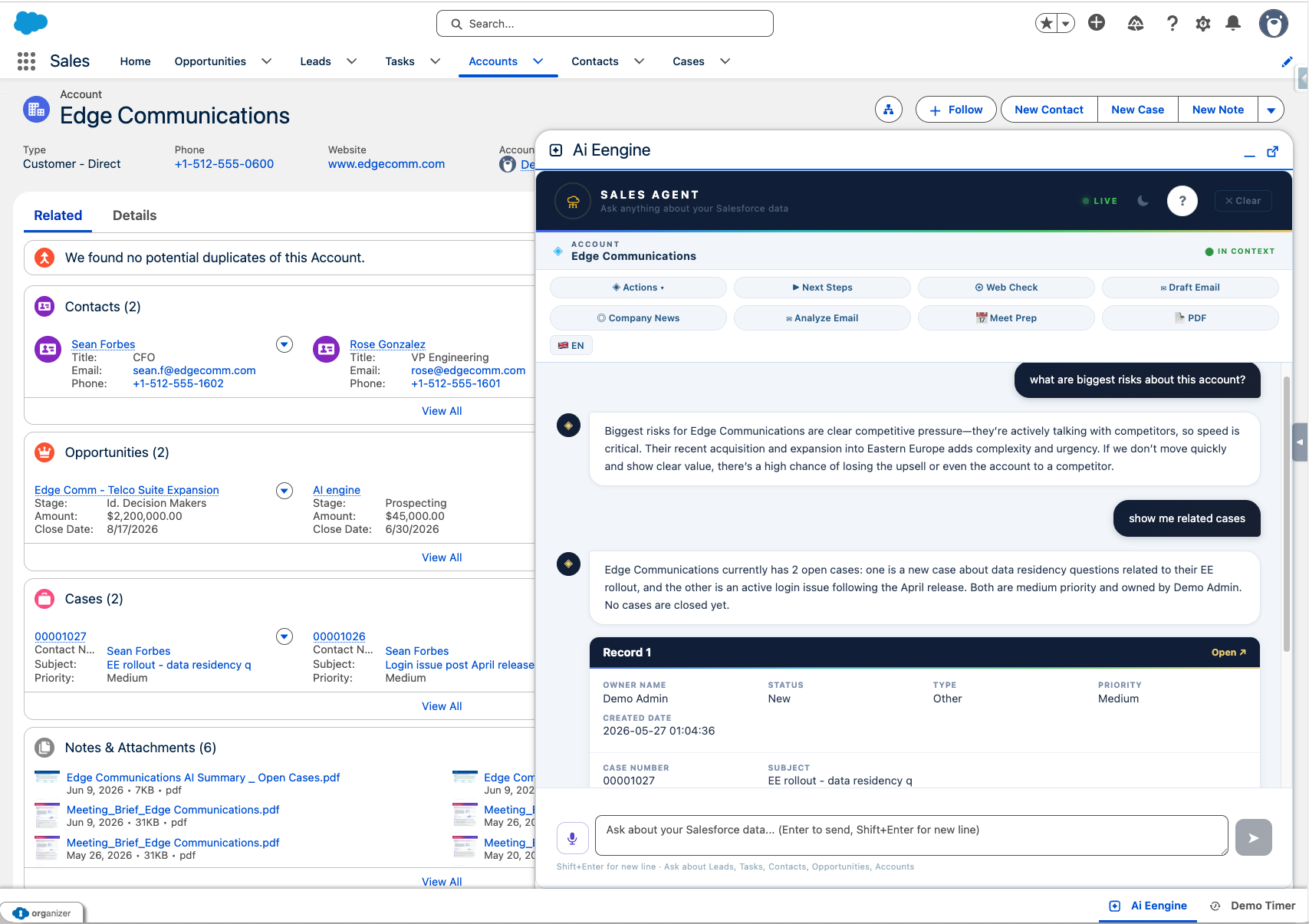
Ask questions about your Salesforce data in natural language. "How many leads closed this month?" — instant SOQL-powered answers, respecting sharing rules and FLS.
Record Summary
One click to get a full AI analysis of any Lead, Account, Opportunity or custom object — highlights, risks, fit signals, missing info, next steps.
Email Drafting
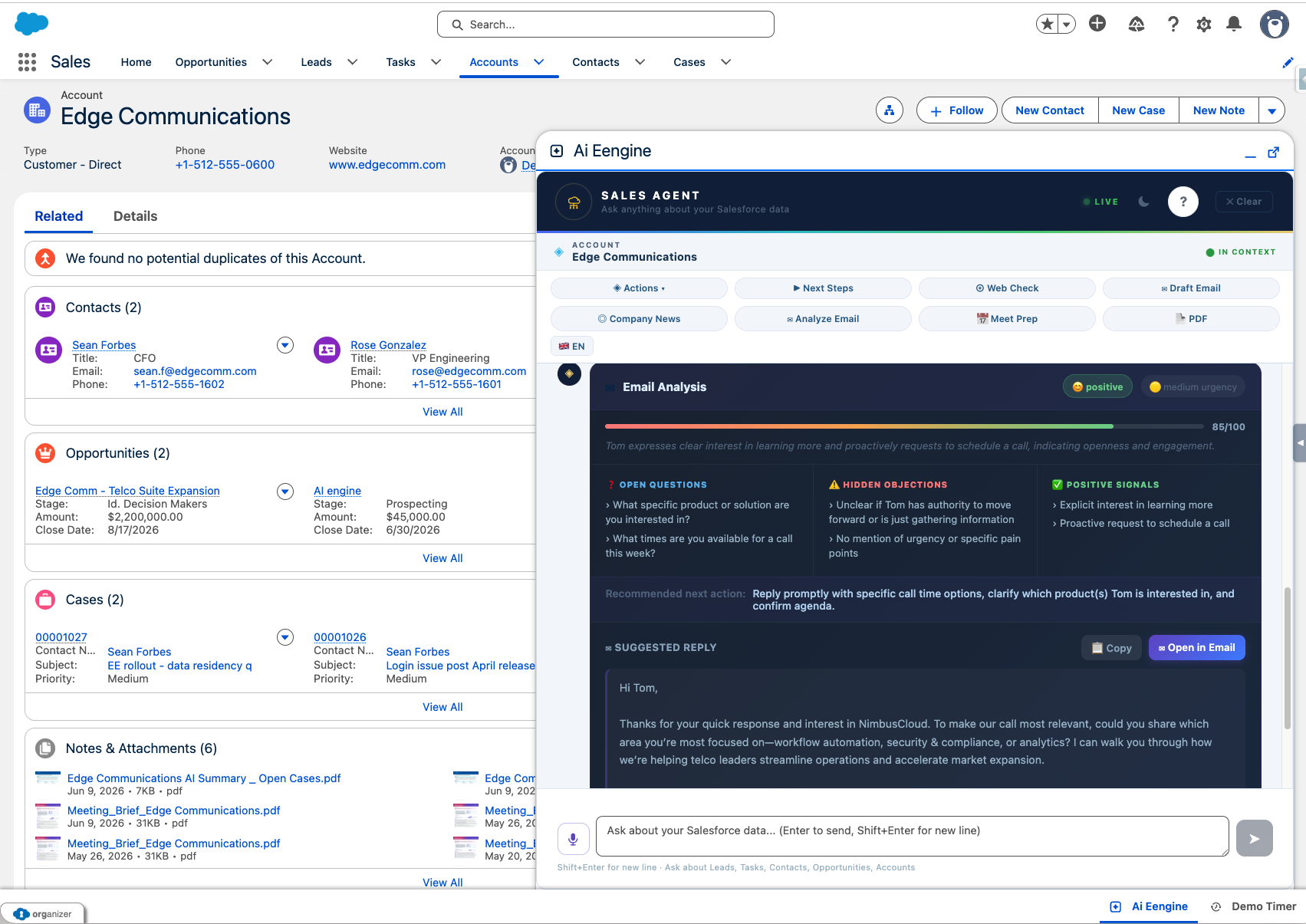
Generate personalized outreach emails tailored to the record context. Edit and send directly from Salesforce with the built-in email composer.
Next Steps Generator
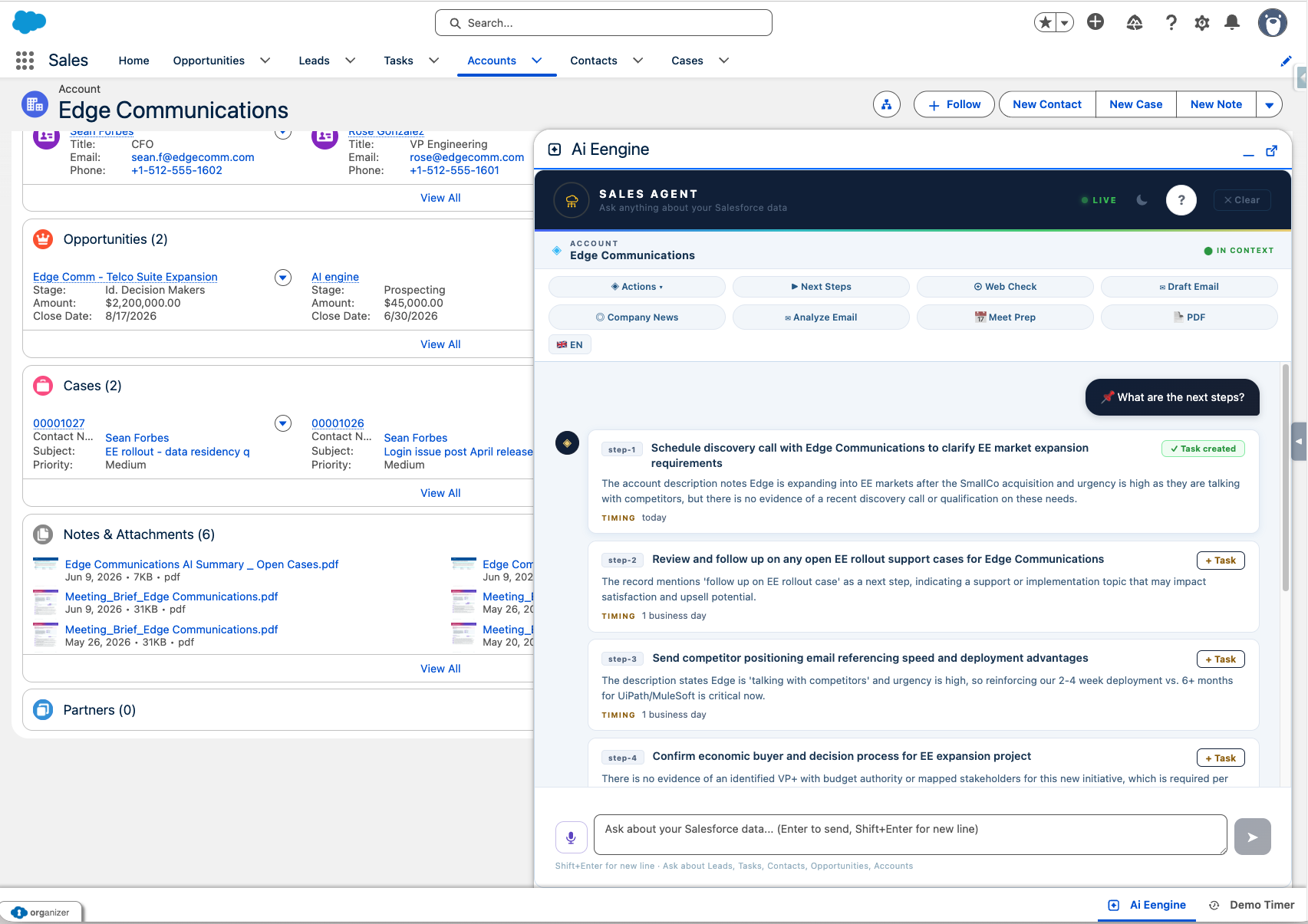
AI proposes 5–8 concrete, prioritized action items per record. Convert them to Salesforce Tasks with one click — due dates and priorities included.
Web Intelligence
Instantly research any company or contact from within Salesforce. Fresh news, LinkedIn signals, funding rounds, company insights — no leaving the CRM.
Custom Prompt Templates
Build your own AI actions tailored to your sales process. Visit reports, qualification scoring, competitor analysis — anything your team needs, reusable across the org.
PDF Report Generation
Export AI analyses, meeting briefs and record insights as formatted PDFs. Custom branding supported. Save to Salesforce Files or email directly.
Multi-Provider Support
Switch between OpenAI, Claude and Azure AI. Use your own API keys — you control costs, provider choice, and data residency.
Utility Bar Integration
AI Engine lives in the Salesforce Utility Bar — always accessible, context-aware, available on any record page without navigation.
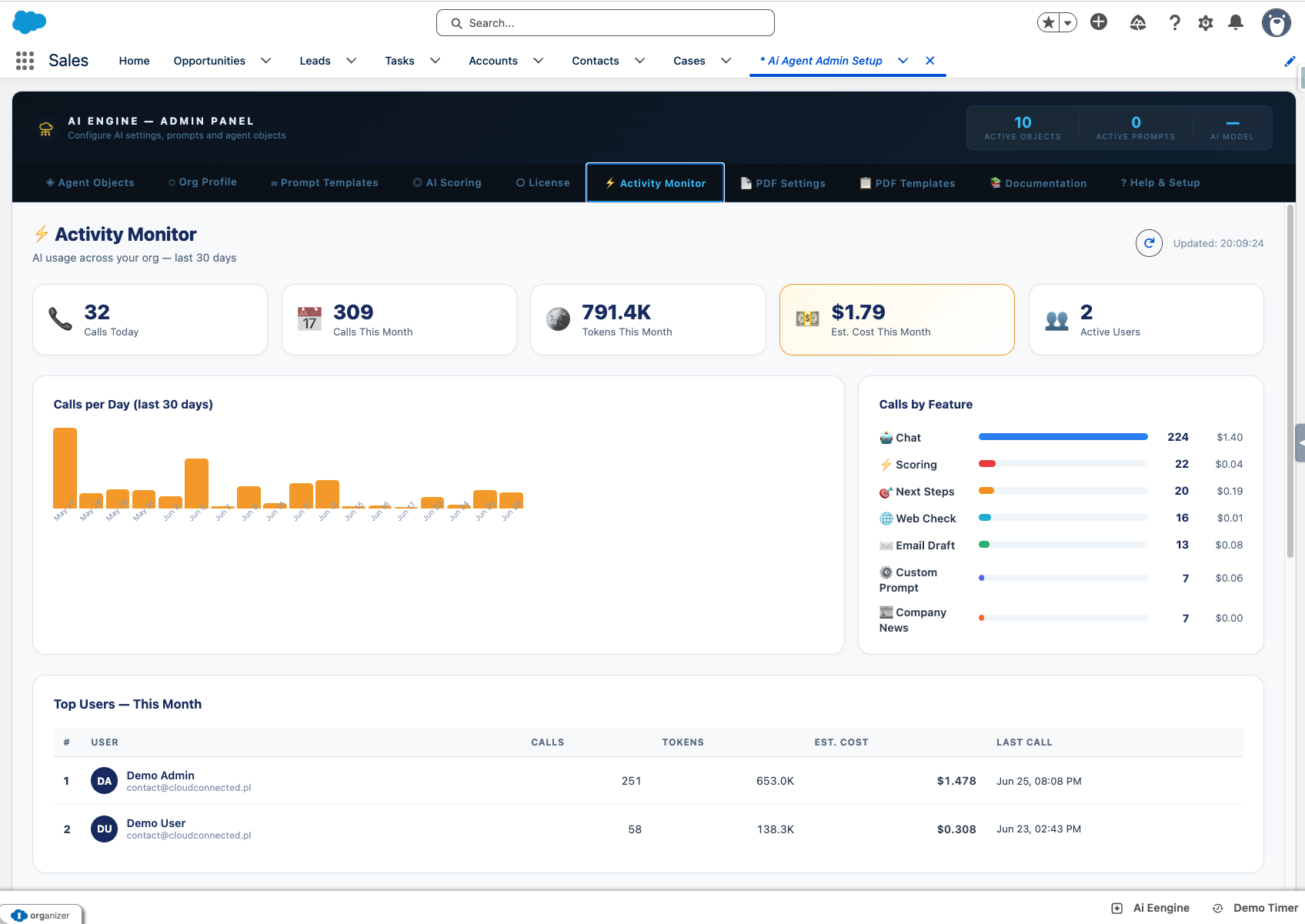
Admin Control & Monitoring
Permission Sets, seat-based licensing and feature restrictions by profile or role — plus a dashboard showing who uses AI, tokens consumed and estimated cost per user, feature and day.
Magic tools that turn the field into your CRM
Point a phone, dictate a note — AI Engine does the data entry, the research and the follow-ups.
Magic Snap
Included in AI Engine. Photograph a business card, a storefront — or just describe who you're looking for. AI creates the Lead or Account, researches the company on the web, scores the fit against your sales playbook, finds official contacts and suggests follow-up tasks. Everything reviewed by you before a single record is saved.
Magic Visit Report
A custom build on AI Engine for a European packaging manufacturer. Field reps dictate their visit notes and snap photos — AI writes the full visit report with topics, attendees and follow-up tasks with due dates, attachments included. Report time dropped from 20 minutes to under 3. Need a custom AI workflow like this? Let's talk.
AI Engine in numbers
Put AI to work where your team already sells
Practical AI for the work reps already do — analyzing records, drafting outreach and scoring pipeline, without ever leaving Salesforce.
Free your reps
Automate the busywork after every call and visit — drafts, summaries and meeting briefs write themselves.
Trust the signal
Every lead and opportunity scored 0–100 with a reason, so your team knows exactly where to spend the day.
Move faster
Answers, emails and next steps in seconds — on the record page, on desktop and on mobile in the field.
AI Engine inside Salesforce
Faster replies, fewer late nights
Draft follow-ups and outreach straight from the full record context — then edit and send right from the record, logged as activity.
See it in the demo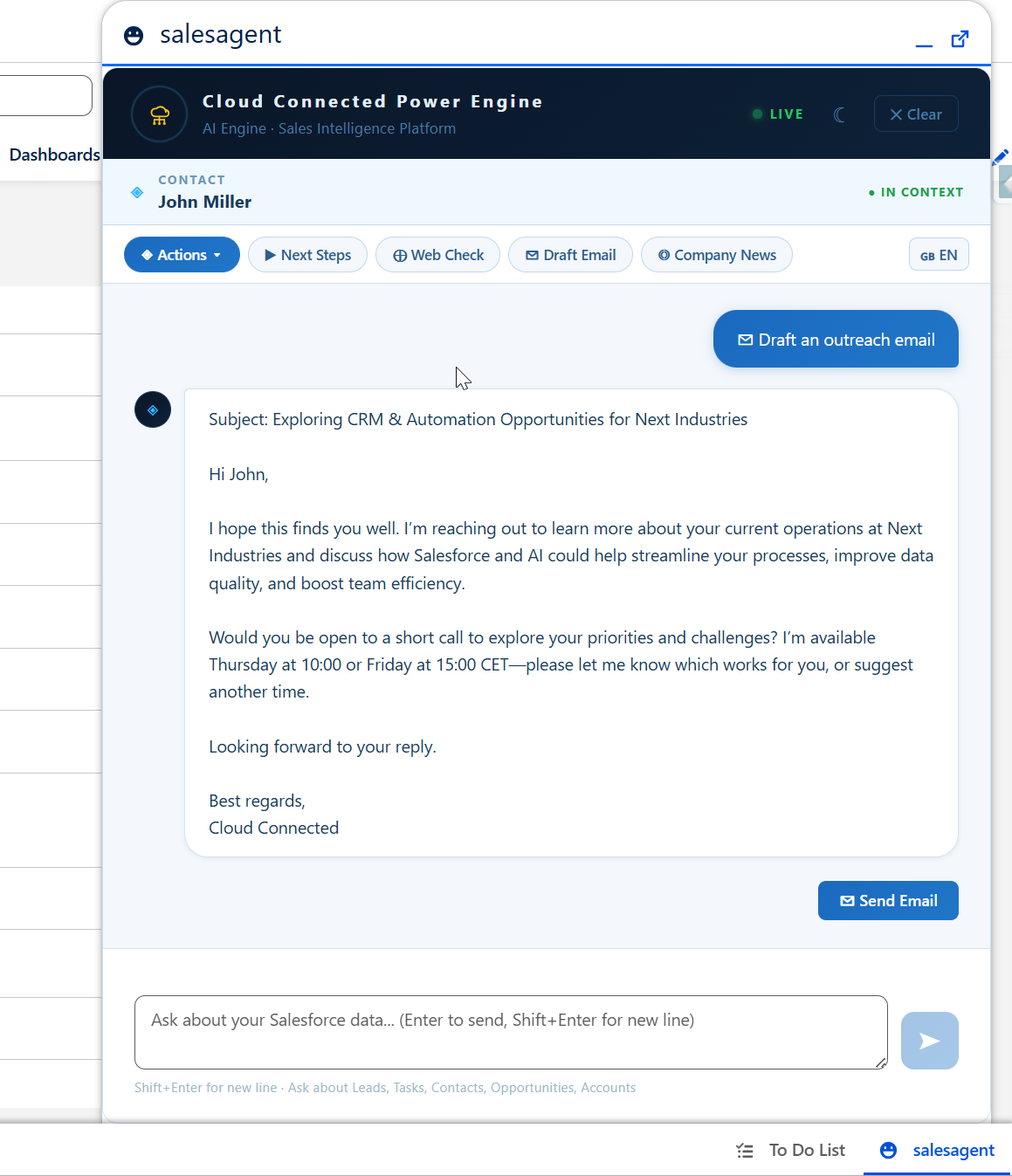
Know who's hot, with a reason
Every lead and opportunity scored 0–100 — with the reasoning spelled out, so reps trust the signal and act on it the same day.
See it in the demoThe whole record, read in one click
Highlights, risks, fit signals, missing info and recommended next steps — a full AI read of any Account, Lead or Opportunity.
See it in the demo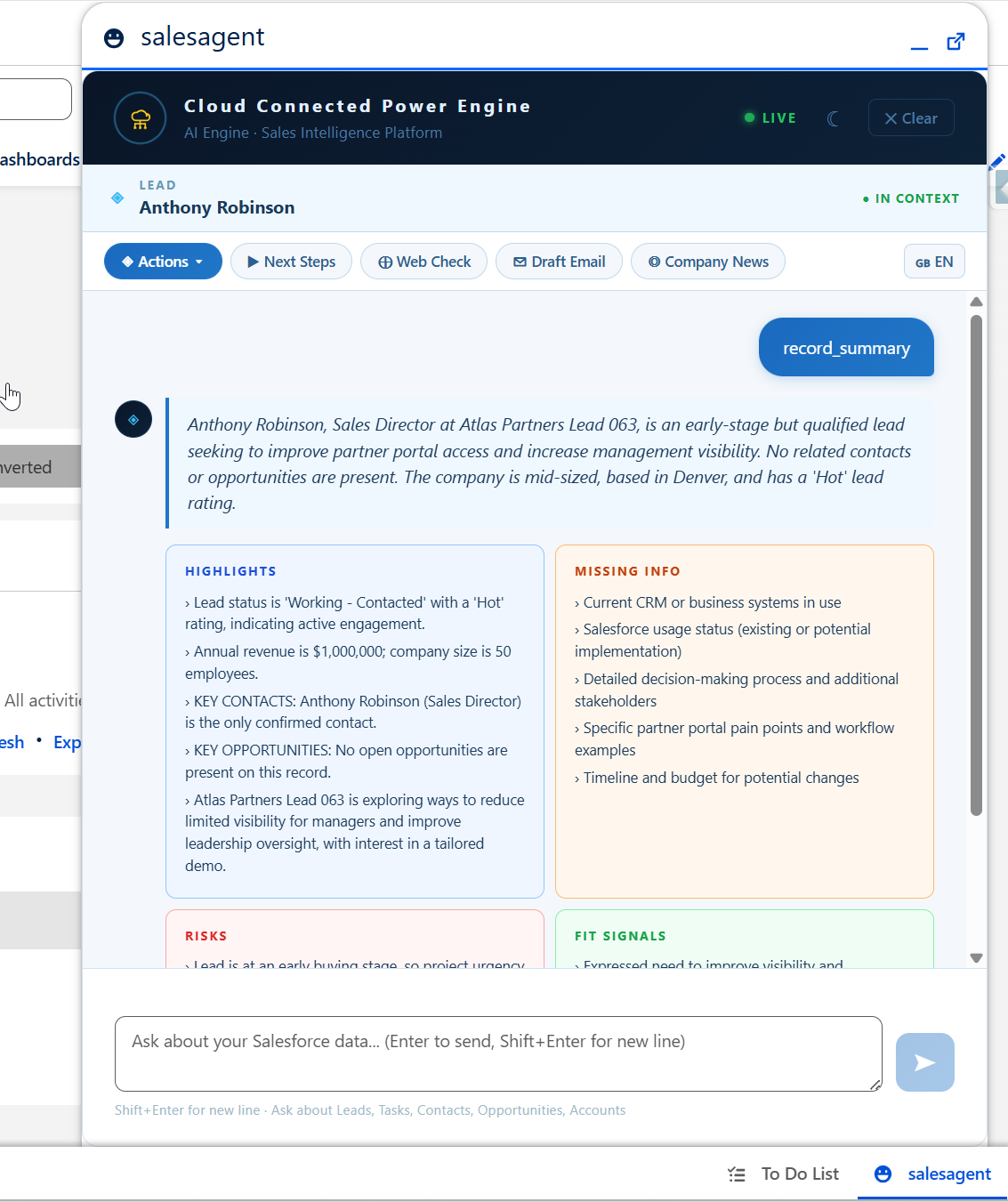
Up and running in minutes
It's not AI in Salesforce. It's your AI in Salesforce.
AI Engine isn't a black box bolted onto your CRM. You choose the provider, bring your own keys, write your own prompts, and decide exactly what it can see — and it inherits the security model you already trust.
Your provider, your keys
OpenAI, Claude or Azure — your choice, your own API keys. You control cost, the model your data goes to, and data residency.
Your prompts, your process
Build custom AI actions for how your team actually sells — visit reports, qualification, competitor checks — reusable across the org.
You decide what it sees
Admin-controlled object & field allowlists. Nothing is accessible by default — only what you explicitly configure.
Read-only by design
The agent never creates, edits or deletes your business records. The only automatic write is the AI score field.
Your Salesforce security
Inherits sharing rules and field-level security. Users see exactly what they'd see in Salesforce — never more.
PII masked · nothing stored
Personal data is masked before it reaches the AI (you pick the fields). Prompts and answers are never stored — every action is logged.
Our reps actually file their reports now. What used to eat twenty minutes after every visit takes them two.
One flat price per organization
AI API costs (OpenAI / Claude / Azure) go directly to your provider — you keep full control. Typical AI usage runs $2–3 per user per month, billed by the provider. One predictable SaaS fee, plus your own AI usage at cost.
Starter
Team
Business & Enterprise
Support included in every plan
Every subscription includes dedicated support for the full duration of your contract — email, chat, and onboarding assistance. No extra fees, no tiers.
* One flat price per organization, not per user. AI API costs are separate and billed directly by the provider. Bigger team or a multi-country rollout? Book a demo and we'll size a plan and set up a paid pilot.
Try AI Engine — completely free
Install into a sandbox or production org. Try every feature free for 5 days, for up to 3 users. No credit card, no contract.
Frequently asked questions
Does AI Engine work with any Salesforce edition?
Do I need to share my Salesforce data with OpenAI or Claude?
Can I use my existing OpenAI or Claude API keys?
How long does setup take?
Is there a free trial?
How is this different from Einstein?
Is the live demo really free with no signup?
What happens to my data when the demo ends?
Talk to us
Question about AI Engine, pricing or your Salesforce setup? Write to us — we reply within one business day.